TestWeaver
Windows UI Test Automation Framework
Test Automation That Speaks Your Language
TestWeaver lets you write, manage, and run automated UI tests for desktop and web applications using a simple, human-readable scripting language. No programming experience required — if you can describe what to click and what to check, you can automate it.
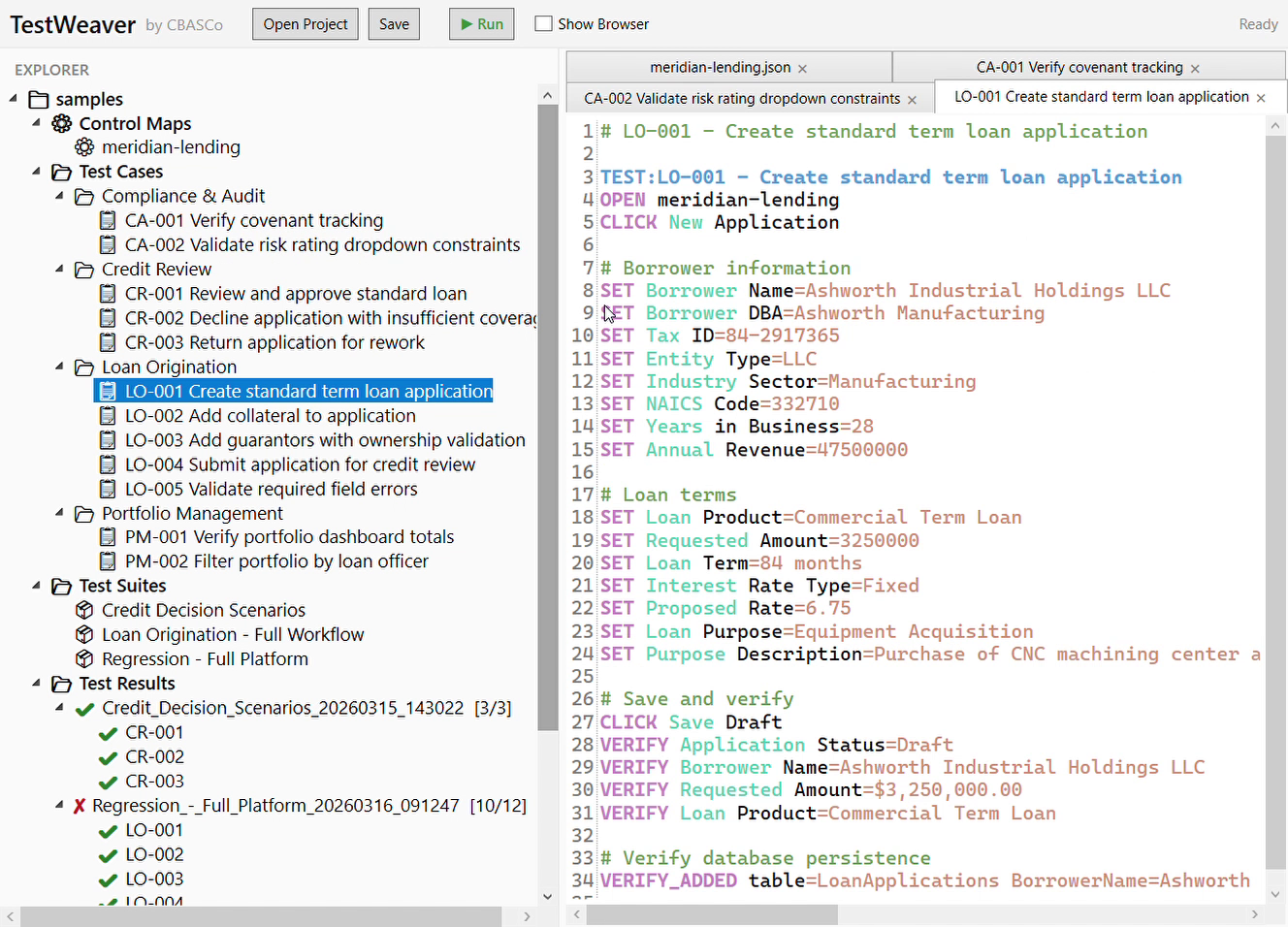
Human-Readable Test Scripts
Tests are plain-text files written in a verb-first language that reads like instructions:
TEST:INV-003 - Create and verify new invoice
OPEN invoicing-app
CLICK New Invoice
SET Customer=Contoso Ltd
SET V01.Item=Widget A
SET V01.Quantity=10
SET V01.Price=24.99
CLICK Save
VERIFY Total=249.90
VERIFY Status=Draft
No code, no boilerplate — just actions and assertions.
Desktop and Web Support
A single framework covers both application types:
- Web applications automated via Playwright (Chromium)
- Desktop applications automated via Windows UI Automation
The runner auto-detects the target platform from the control map, so the same test syntax works for both.
Control Mapping
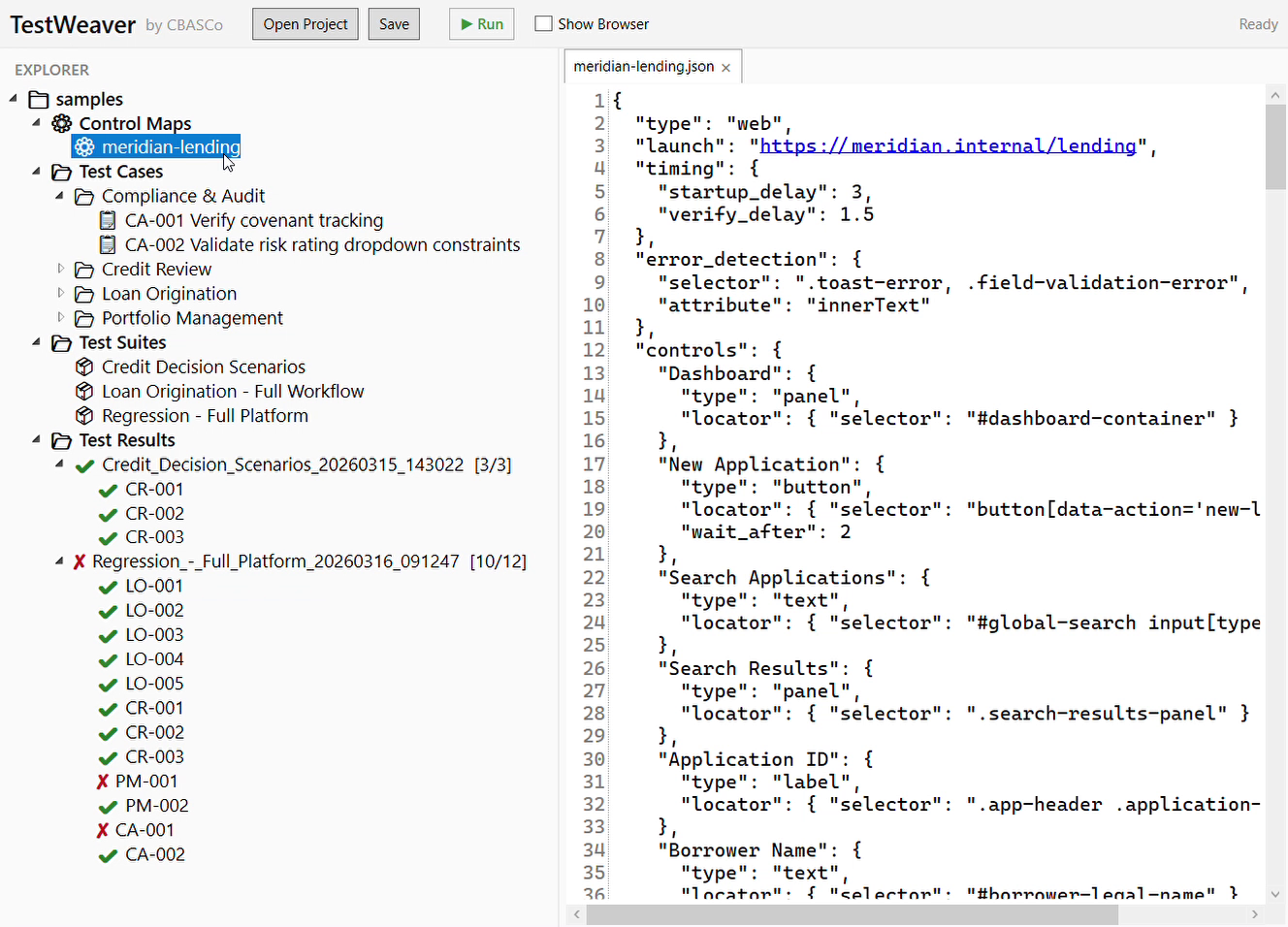
UI elements are referenced by friendly names like Save Button or Customer, not brittle CSS selectors or automation IDs. A JSON control map links those names to actual locators, keeping tests stable when the UI changes.
Update the map once and every test that references that control stays current.
Key Capabilities
Smart Value Matching
Assertions handle real-world formatting automatically — numeric tolerance, currency stripping ($1,249.90 matches 1249.90), case-insensitive comparison, checkbox states, and more.
Database Verification
Go beyond the UI and verify data was actually persisted. Confirm rows were added, changed, or deleted directly against the database after test actions run.
Grid & Table Support
Interact with row-based data grids using indexed row references. Set values in specific rows and verify calculated results across multi-row datasets.
Test Suites
Group tests into suites for batch execution. Suites support progress tracking and produce consolidated result reports.
Command-Line Runner
Run tests or entire suites from the terminal or your CI pipeline. Integrates cleanly into automated build and deployment workflows.
Structured Results
Every run produces a structured JSON result file with per-step outcomes, durations, and failure details — ready for dashboards or CI integration.
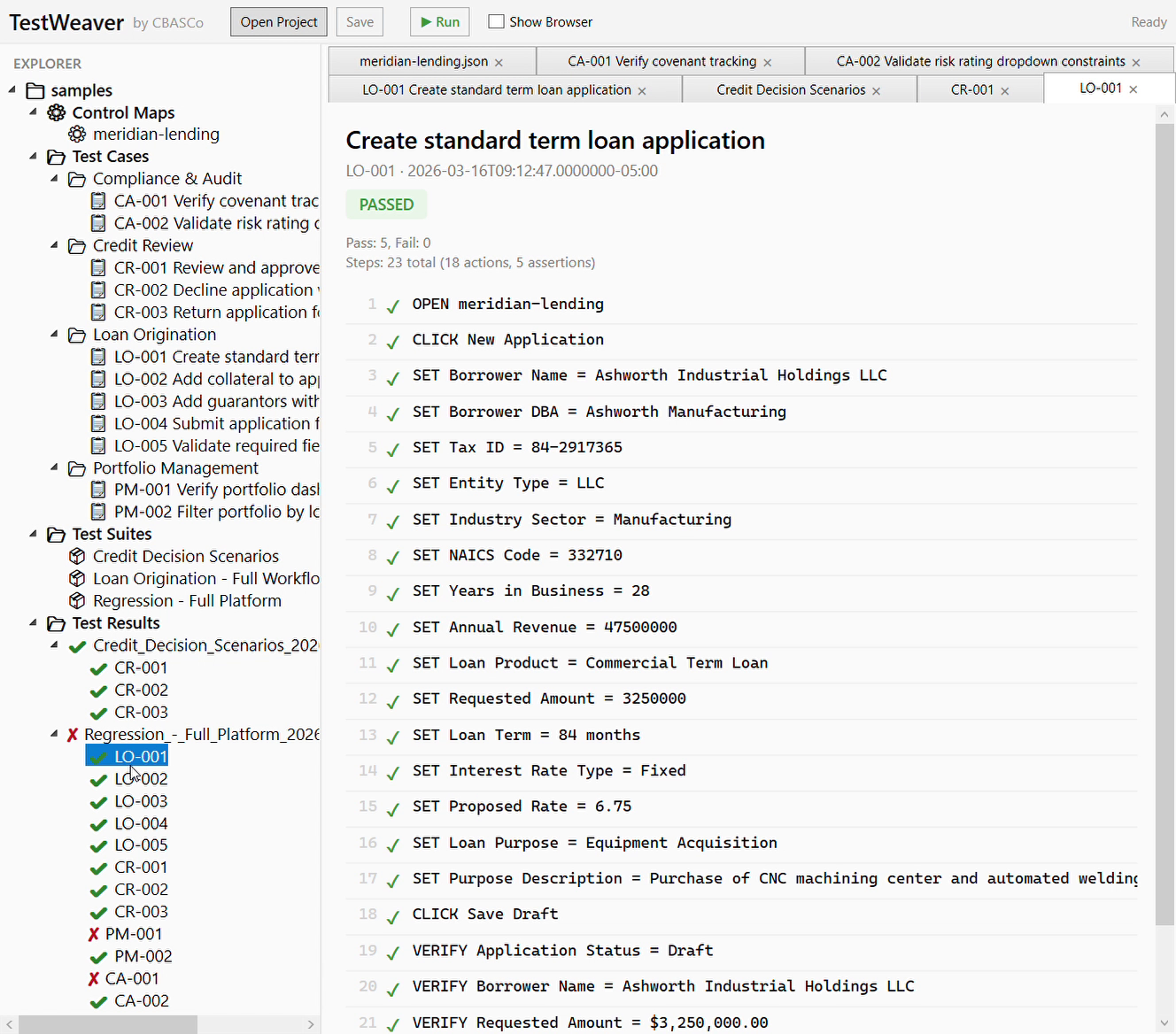
Passed test with step-by-step detail
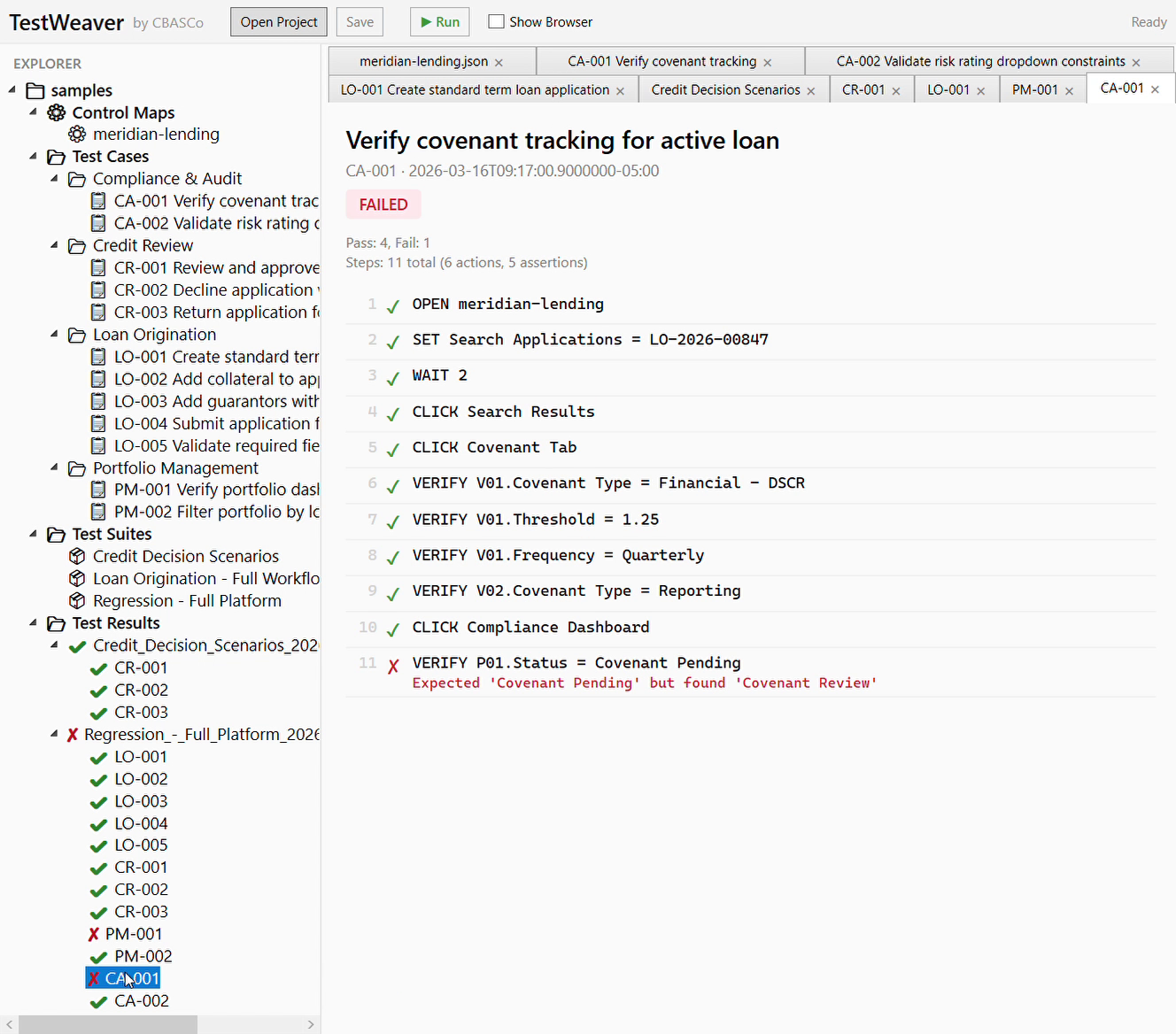
Failed test with assertion error details
The TestWeaver Editor
A dedicated desktop application for authoring and managing tests:
- Syntax highlighting — keywords, fields, values, and comments are color-coded
- Auto-completion — IntelliSense suggests control names from the loaded control map
- Folder tree browser — organize tests by feature, sprint, or however you prefer
- Suite editor — build and manage test suites with drag-and-drop
- Run progress panel — watch tests execute in real time
- Result viewer — review pass/fail history and step-level detail
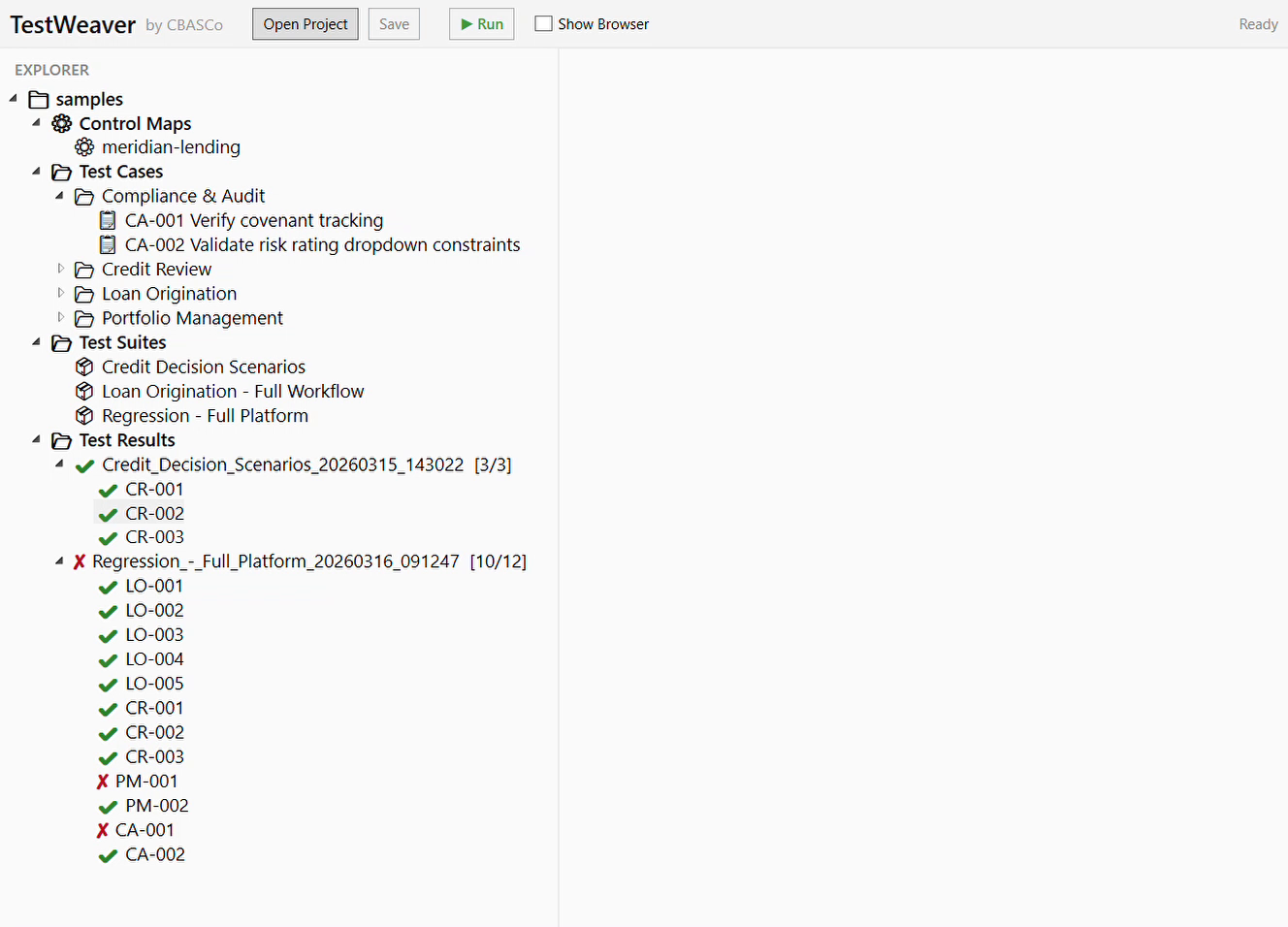
Project explorer with test cases, suites, and results
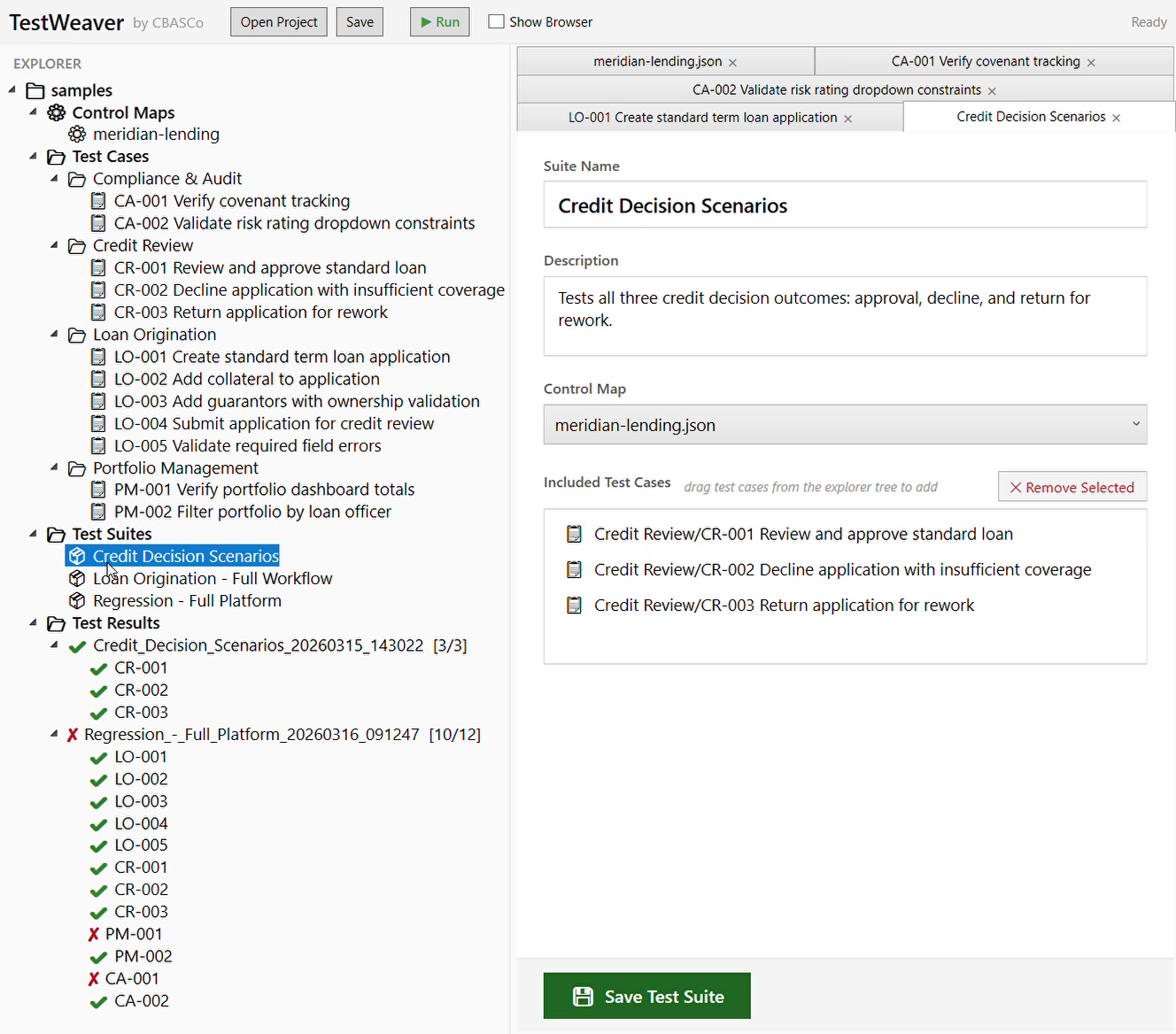
Suite editor with drag-and-drop test management
Design Philosophy
- Tests are documents. Plain-text files that anyone on the team can read and edit.
- No lock-in. Every artifact is a standard file format — Markdown and JSON.
- Separation of concerns. Control maps isolate UI structure from test logic, so tests survive UI changes.
- Human-first automation. The scripting language is designed for testers, not developers.
Built With
.NET 9.0 (core library, CLI runner, and editor) • Playwright (browser automation) • WPF + AvalonEdit (editor UI) • Windows UI Automation (desktop application control)
Pricing
Professional
$250/mo per seat
- 1 control map included
- Additional maps $5,000 each
Team
$200/mo per seat
- 5 seat minimum
- 3 control maps included
- Additional maps $4,000 each
Interested in TestWeaver?
Whether you're looking to automate testing for an existing application or want to learn more about how TestWeaver can fit into your workflow, we'd love to hear from you.